
AI operations / Data Training
AI operations / Data Training
Data Training
Register the knowledge LIA references and manage it with folders and instructions.
How to register knowledge
- Manual entry — enter a title, the knowledge content, and question synonyms. Adding synonyms helps it match different phrasings of the same meaning.
- API entry — register a URL and it periodically fetches and refreshes the content.
- Save from chat — hover over an inbox message and click 'Save as AI knowledge' to set a title, content, and folder and register it right away.
Folders and instructions
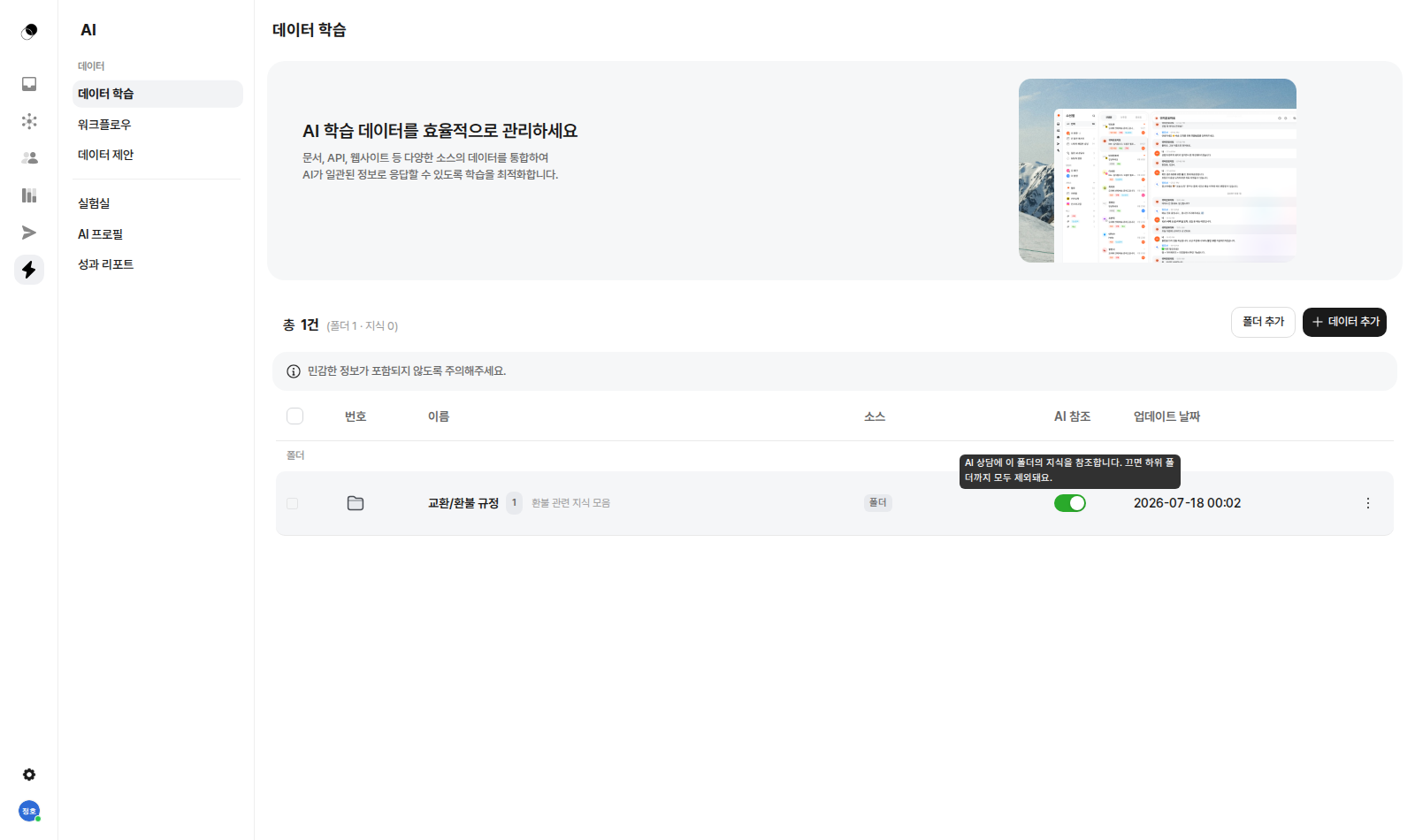
Group knowledge into folders and add instructions to a folder, and those instructions are followed whenever the AI answers from that folder's knowledge. Folders nest infinitely and can be organized by drag and drop.
Example: if the Refunds folder instruction says "Always state the deadline first when explaining refunds," related answers will always lead with the deadline.
AI reference switch
Every piece of knowledge and every folder has an AI reference switch. Turning it off immediately excludes that knowledge (for a folder, everything below it) from answers — applied instantly, with no retraining.
Q&A preview
On each knowledge's detail view, you can preview which questions the AI would answer with this knowledge and how.
Have more questions?
For SDK integration, see the Developer docs. For anything else, email hello@lillo.cx or use Contact in the console.