
Delightful CX starts here,
support is handled by LIA
 handled by LIA
From customer support to data training, commerce integration and analytics —
the AI customer support platform that puts customers at the center of your business AI customer support platform
Support innovation, by Lillo
LIA, an AI agent built for customer support
LIA answers from trained knowledge and real order data, handing off to your team only what it can't resolve. Your team controls the rules and the knowledge.
Learn moreKnowledge
+ Add knowledgeStructured management turns docs into AI 'knowledge'
Instead of just piling up documents, organize them into folders for training. Refine your knowledge by watching each document's reference rate, and LIA's answers grow more accurate.
LIA answer rules
Answer only from verified knowledge, and hand off to an agent when unsure.
'AI reference' controls that prevent off-base answers
Control exactly which knowledge LIA uses with answer rules and per-folder, per-document AI reference switches. No more worrying about outdated policies slipping into answers.
LIA · Looking up order
Your 'Cotton Shirt' shipped today and arrives tomorrow. Your tracking number is 6841-2214 😊
Not parroted replies, but real data lookups
With commerce integration, LIA looks up real order and shipping data to answer. Repetitive inquiries are resolved on the spot, without an agent.
Customer support, handled entirely by LIA
LIA answers instantly, drawing on trained knowledge plus the conversation context and customer details. Only what LIA can't resolve reaches your team, so agents focus on the conversations that truly need them.
Learn more →Connect your store's API, and LIA answers 'When will it arrive?' by checking the actual order. Agents can see the order right in the support screen too.
Learn more →Set your business hours and choose how off-hours are handled — let AI respond, or just collect inquiries. Come morning, the conversations LIA handled are already organized for you.
Learn more →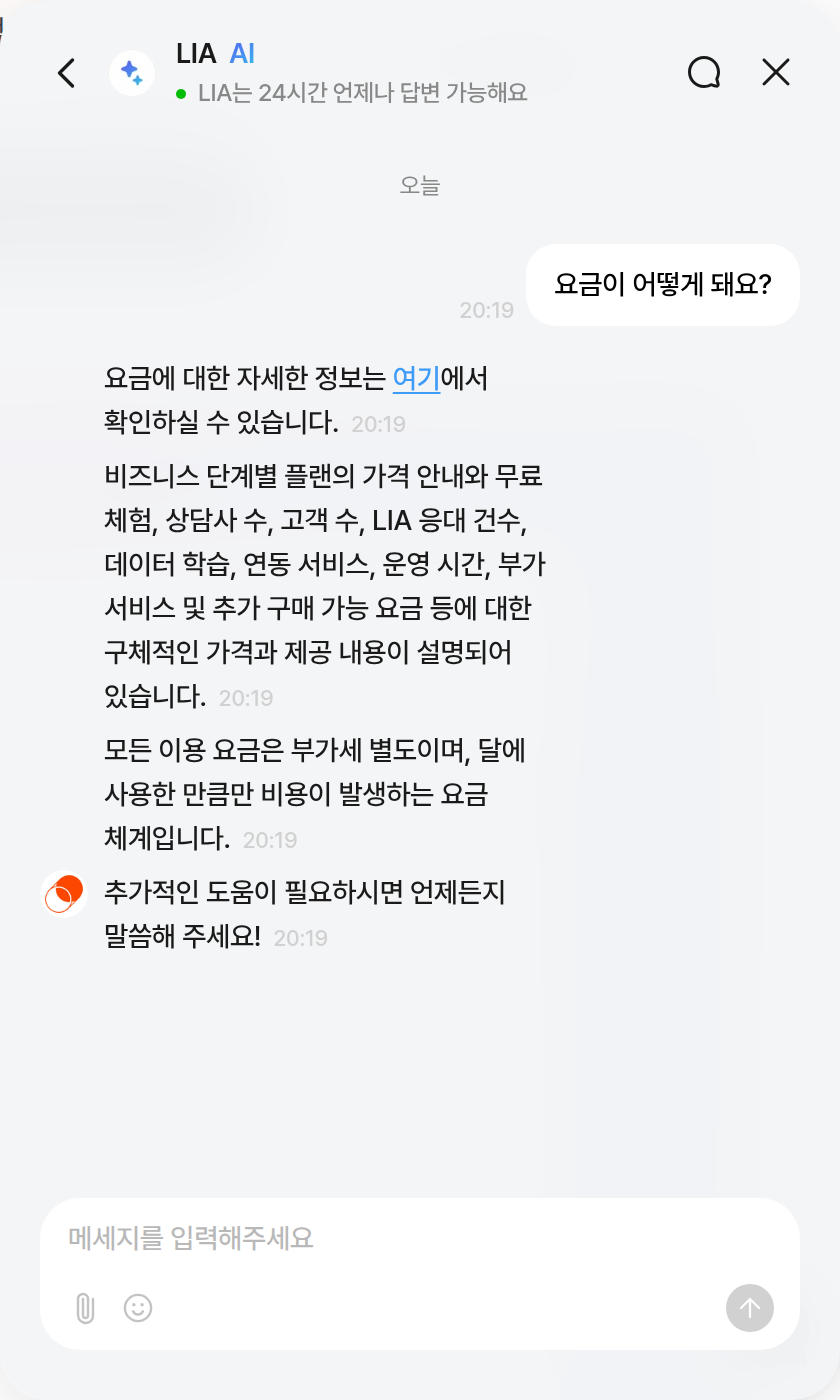
Support operations sequence
Your team's support, faster and more accurate
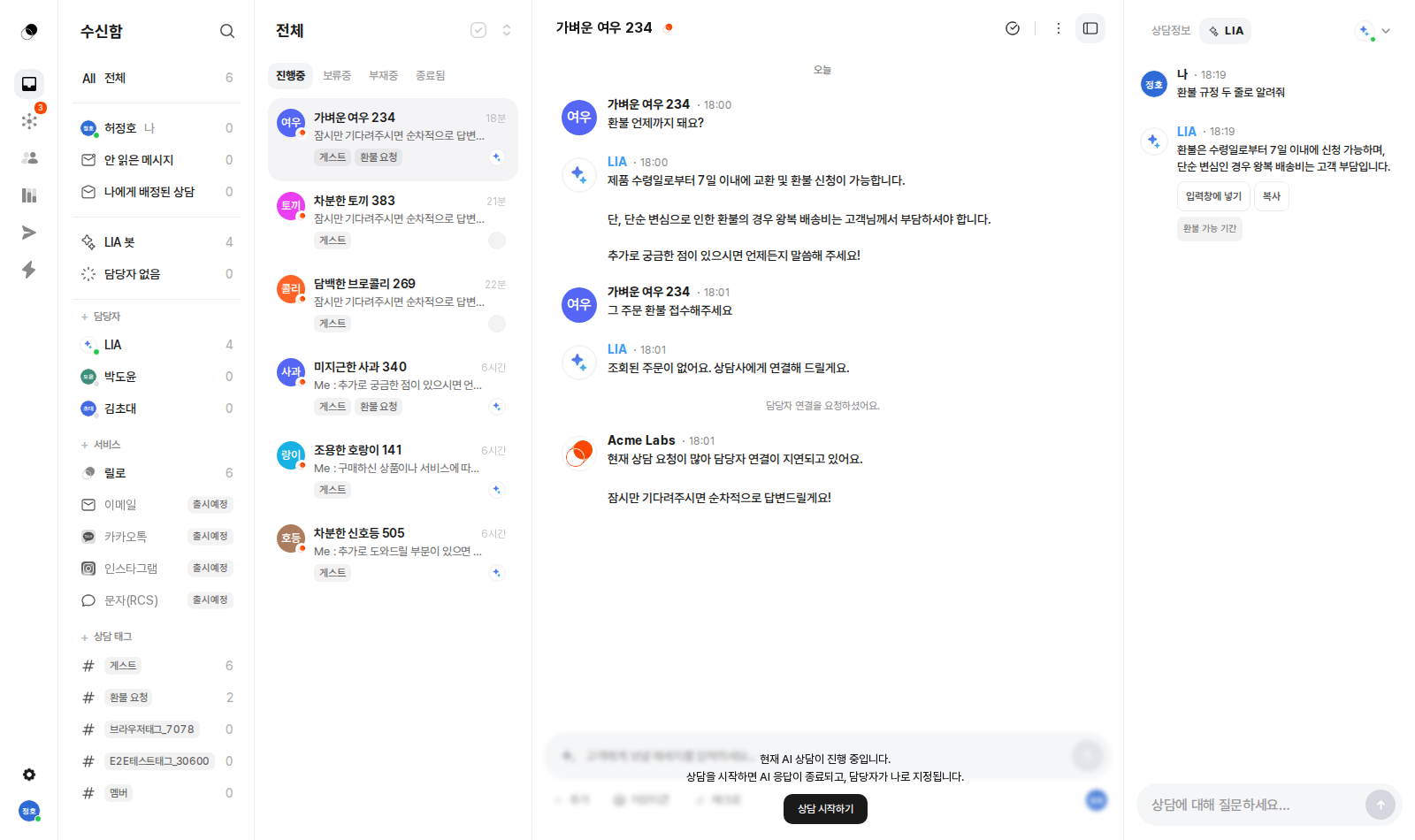
Organize conversations with assignees, teams, and tags, and pull up frequent replies instantly with macros and slash commands (/). The right panel shows the customer profile, timeline, and order details together.
Learn more →It streams a draft reply that reflects the conversation context and trained knowledge. Like it? One click drops it into the composer — cutting reply-writing time noticeably.
Learn more →Organize documents and FAQs into folders to train LIA, and it's reflected in LIA's answers right away. Control which knowledge is used with per-folder, per-document AI reference switches.
Learn more →Marketing messages
Campaign messages targeted with your support data. Right inside the Lillo console you already use, with push and SMS channels added.
The Lillo console for your team
Where scattered conversations come together on one screen
From inbox to data training to analytics, every screen you need to run support lives in one console.
Learn moreEvery conversation gathers on one screen, with LIA Copilot right beside your agents. Get a draft reply that reflects the conversation context and order details, streamed in, and drop it into the composer with one click.
Organize documents and FAQs into folders to train LIA, and it's reflected in its answers right away. Fine-tune exactly which knowledge is used with per-folder, per-document AI reference switches.
Track conversation volume, response times, tag distribution, and per-agent performance by period, and manage support quality by the numbers with AI auto-resolution rates and VOC scores.
Lillog
Stories for teams who care about customer experience






1<!-- One line in your site's shared layout -->2<script src="https://chat.lillo.cx/lillo-sdk.umd.js"></script>3<script>4Lillo.init({ clientKey: "YOUR_CLIENT_KEY" });5</script>67// Done. A chat button appears at the bottom-right of your site.8// LIA starts responding right away with the knowledge you trained.
Install in 5 minutes,
one line of script is all it takes
This isn't a complex integration project. One line of script and the chat button appears; add member sync and the commerce order contract, and LIA starts answering with order data:
- Install with one line of SDK script — WordPress & React support
- Member sync: one identify call, with automatic login-event detection
- Commerce order contract: automate order inquiries with a single endpoint
- Clear developer docs and examples
Developer experience
Everything you need to integrate is ready
Install with one line of SDK script
React · WordPress support
Member sync — one identify call
Commerce order API contract
Separate production and dev environments
Enough explaining.
The fastest way is to try it yourself
Setup takes just five minutes — hand your first conversation to LIA today.