
Unified inbox
Every conversation,
gathered on one screen
Assignees, teams, tags, conversation status—everything your team needs for support lives in a single inbox. Macros and slash commands make replies even faster.

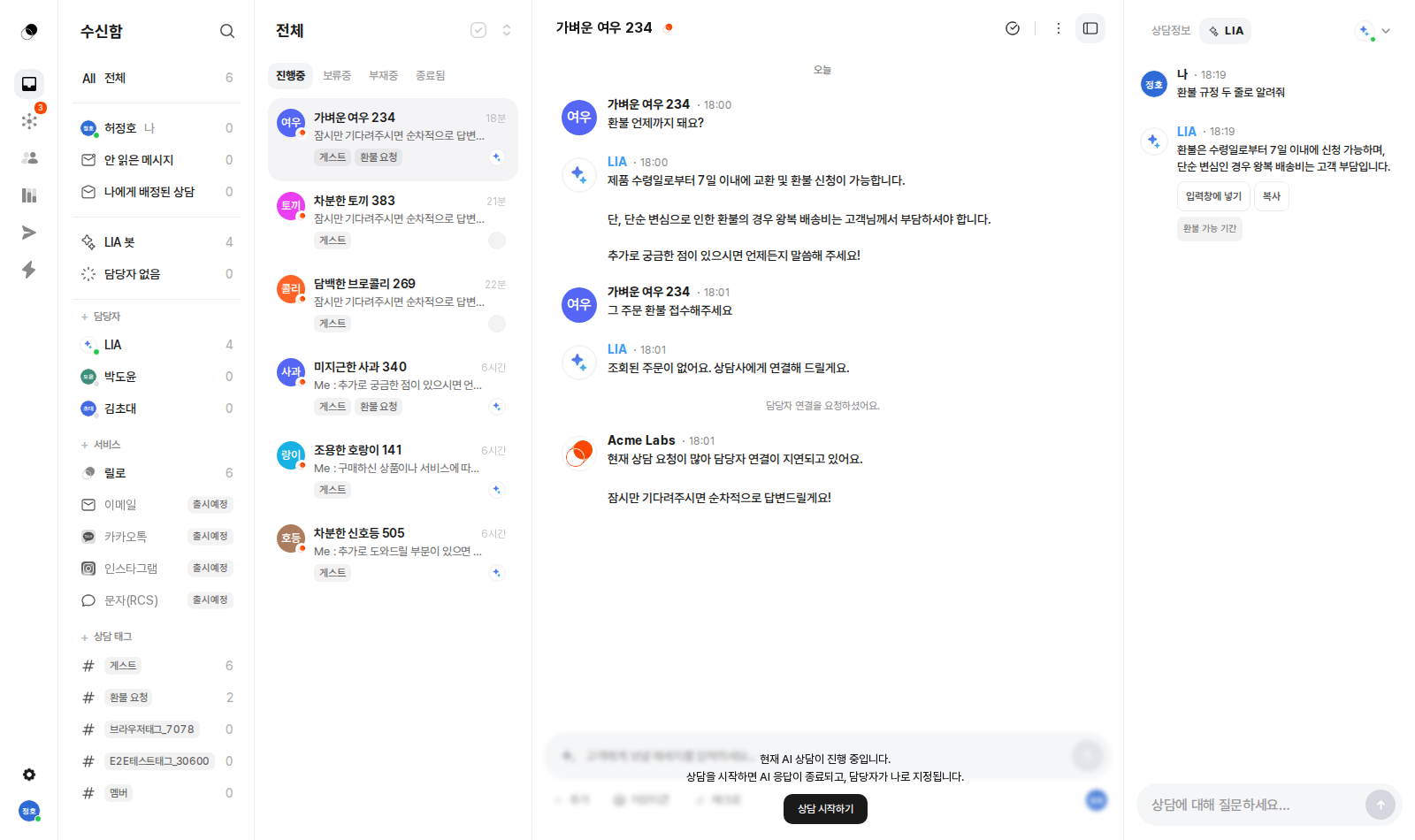
The inbox is your team's workspace where every conversation comes together.
From assignment to tags and macros—support runs entirely on one screen.
See the screens
Every screen you need to run support
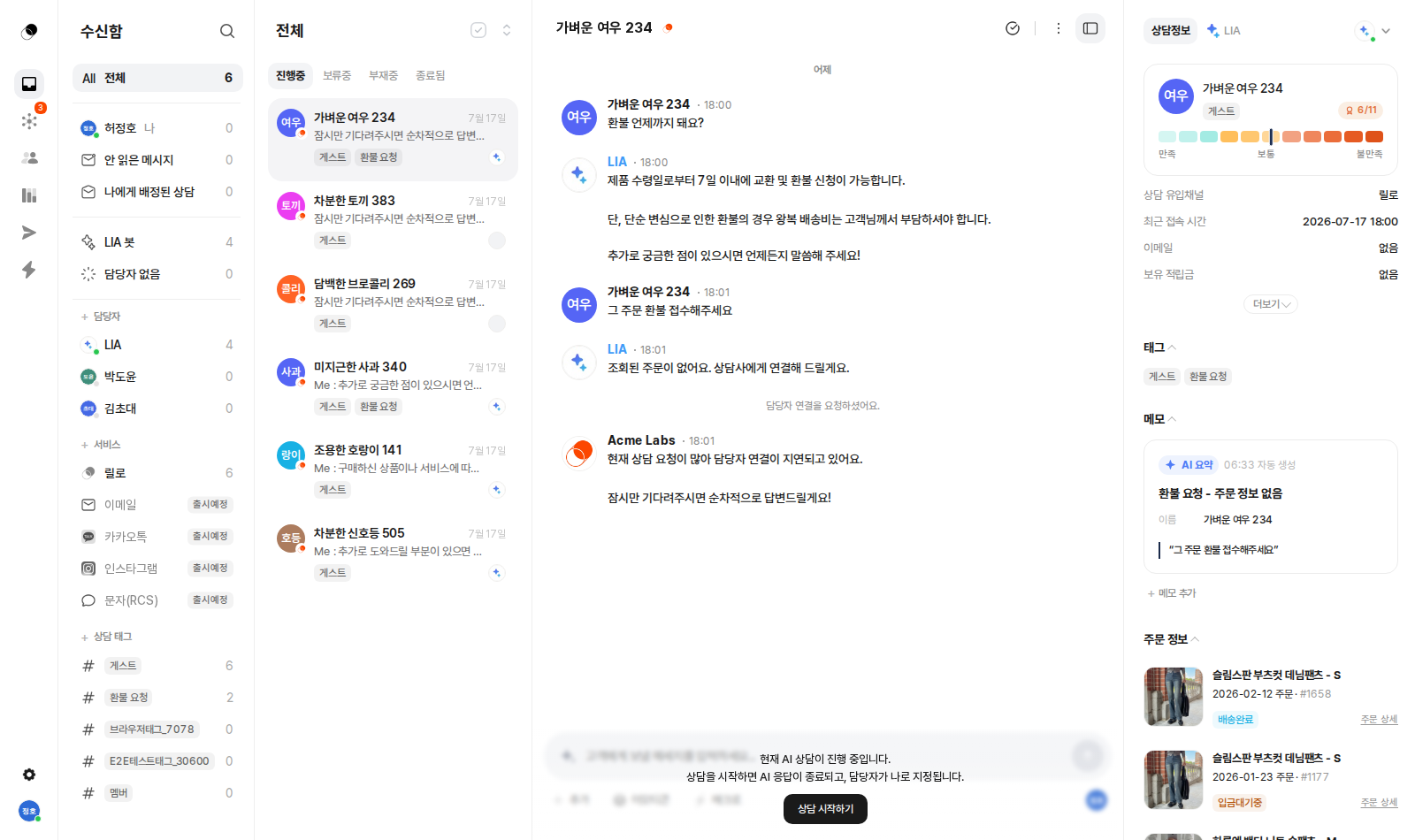
Every conversation in one list — status, assignee, and tags at a glance.
What's included
Assignment & status
Make ownership and progress clear
Macros
Save frequent replies and insert them instantly
Conversation tags
Manual classification plus automatic tagging
Right panel
Profile, VOC, conversation summary, order details
Customer contacts
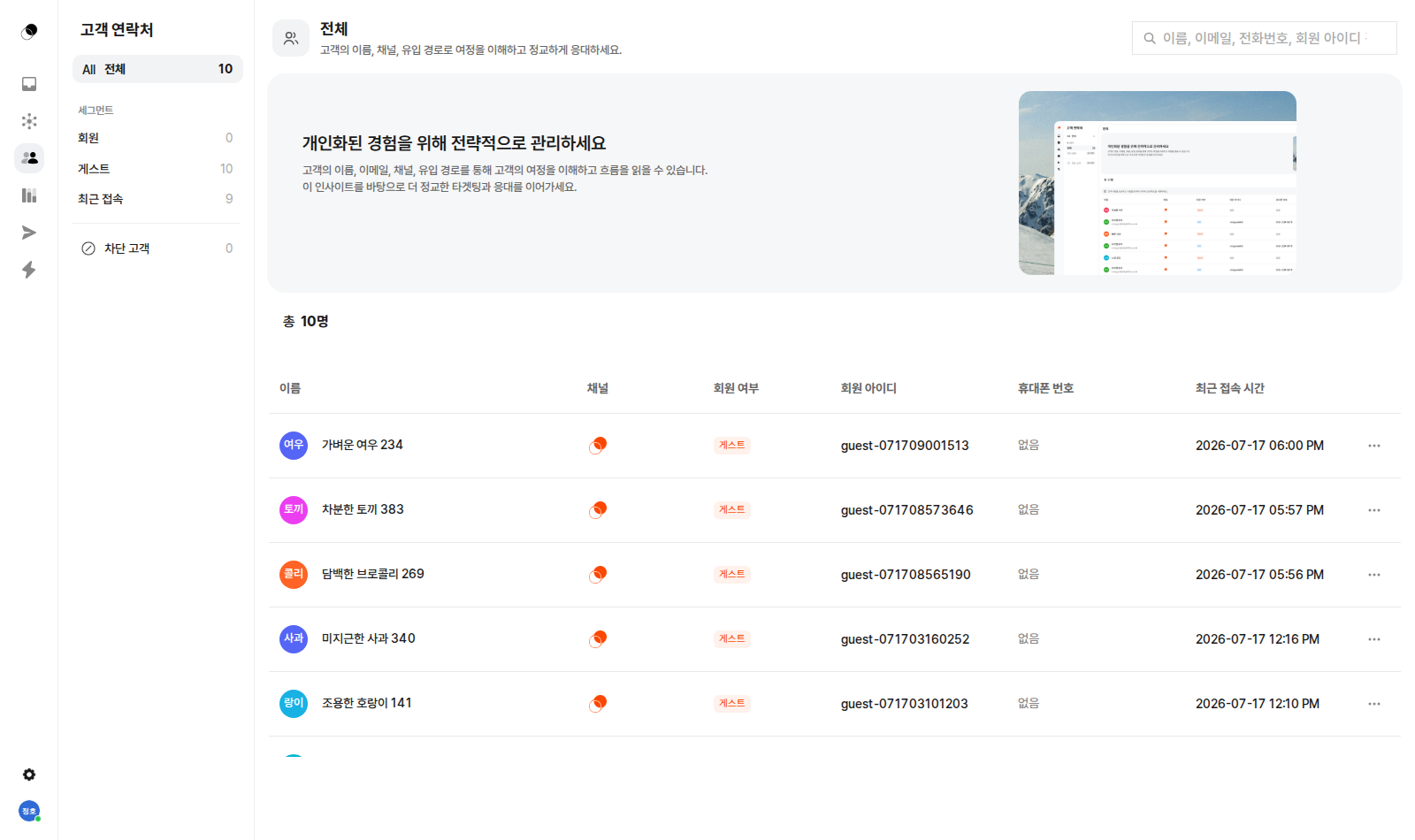
Manage customers with segments and search
Getting started
Conversation list, chat, and customer info on one screen
Filters and per-agent conversation lists on the left, the chat in the middle, customer context on the right. Instead of piecing information together across tabs, you read, decide, and reply on one screen. Conversations being auto-handled and those a person is watching are managed together in the same inbox.
Who, what, and how far
Assign an owner to each conversation and track progress with statuses like open, pending, away, and closed. Filter instantly by unread messages, conversations assigned to you, or conversations with no owner—so "who's handling this one?" simply never comes up.
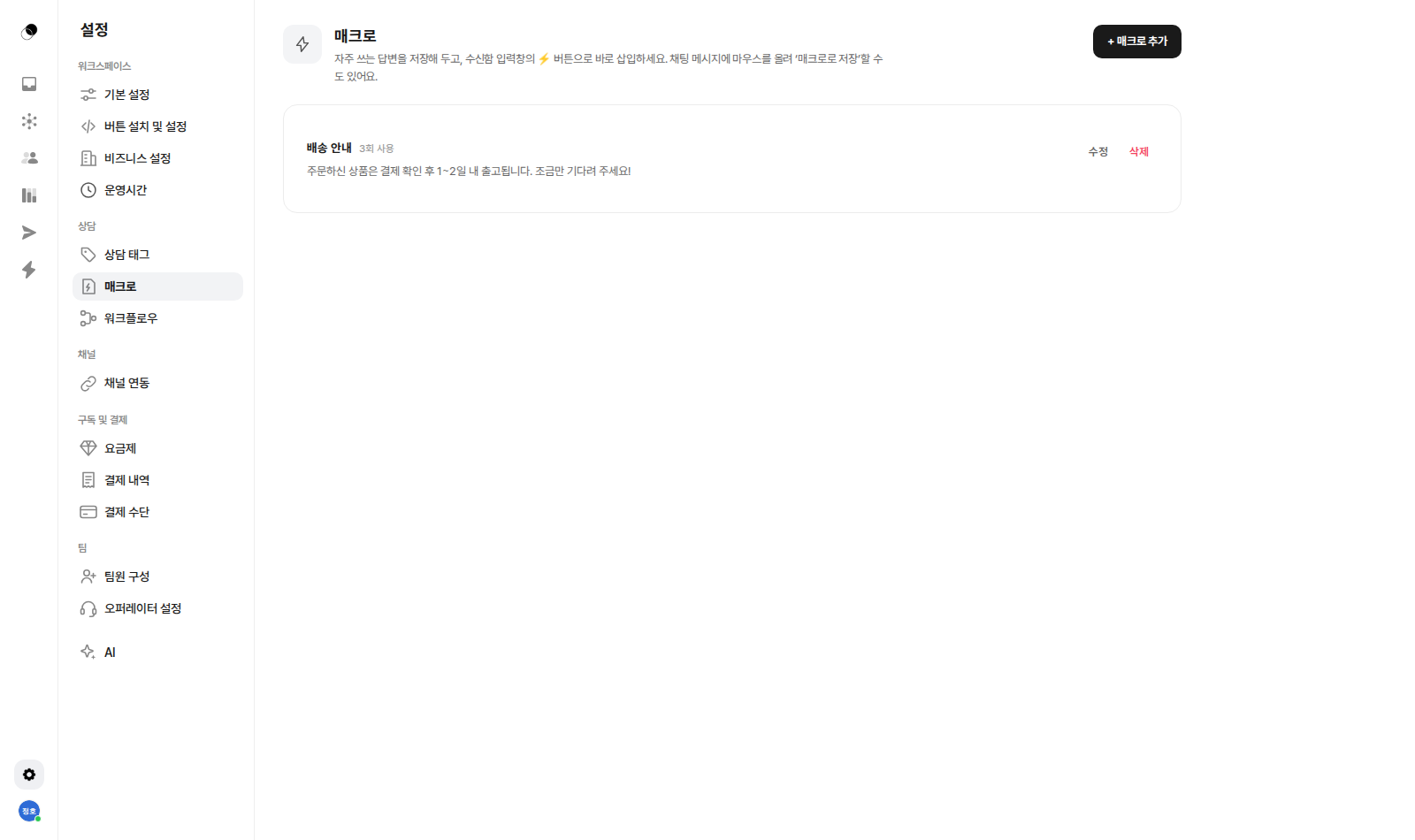
Turn frequent replies into macros
Save frequently used replies as macros and pull them up right from the composer. You can even hover over a well-written chat message and save it as a macro as-is. All the time you spent typing the same sentence twenty times a day comes right back.
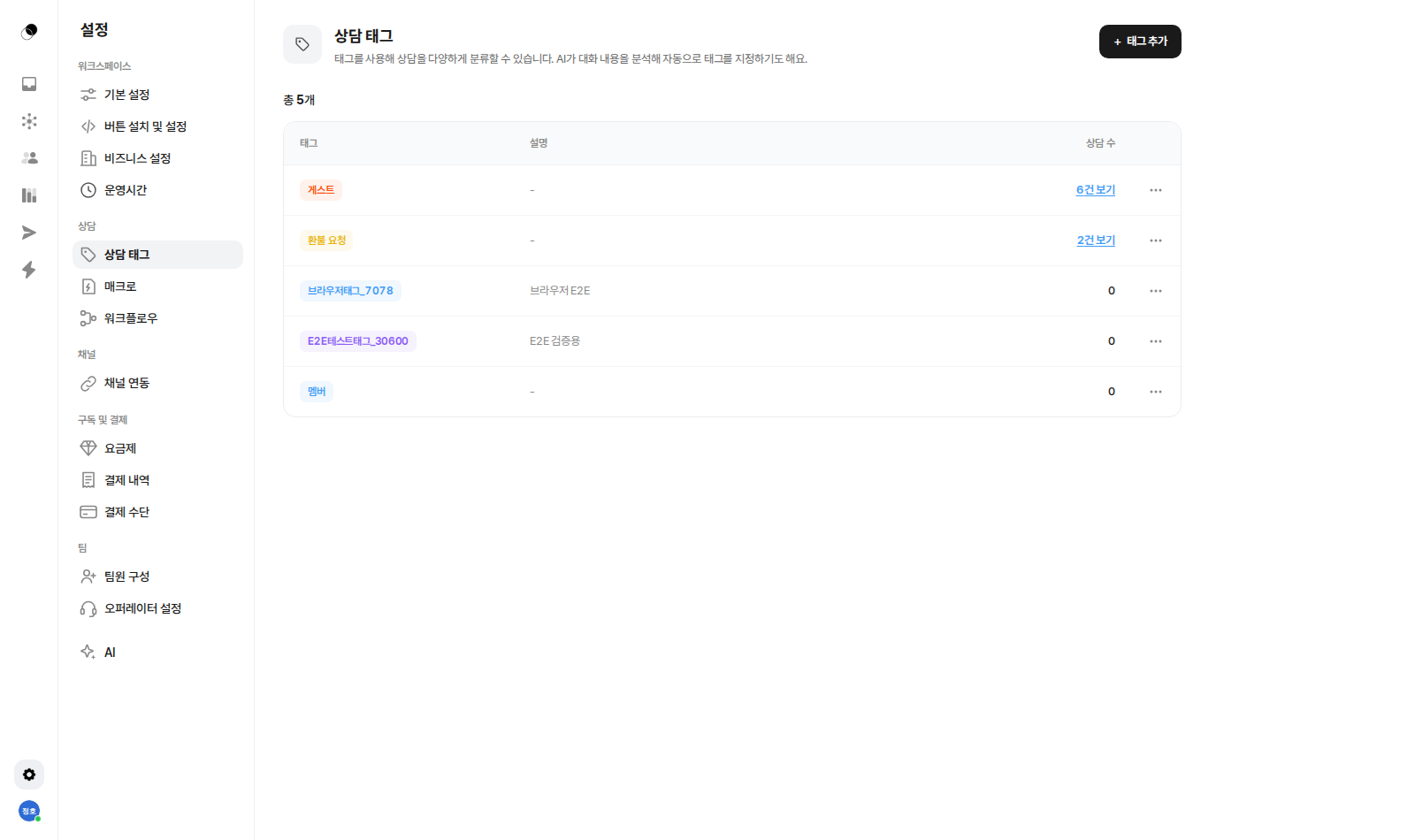
See the flow of inquiries through tags
Classify inquiries by type with conversation tags and see the count per tag at a glance. Tags can even be assigned automatically based on the conversation, without you adding them by hand. As the classifications add up, you can see which inquiries keep your team the busiest.
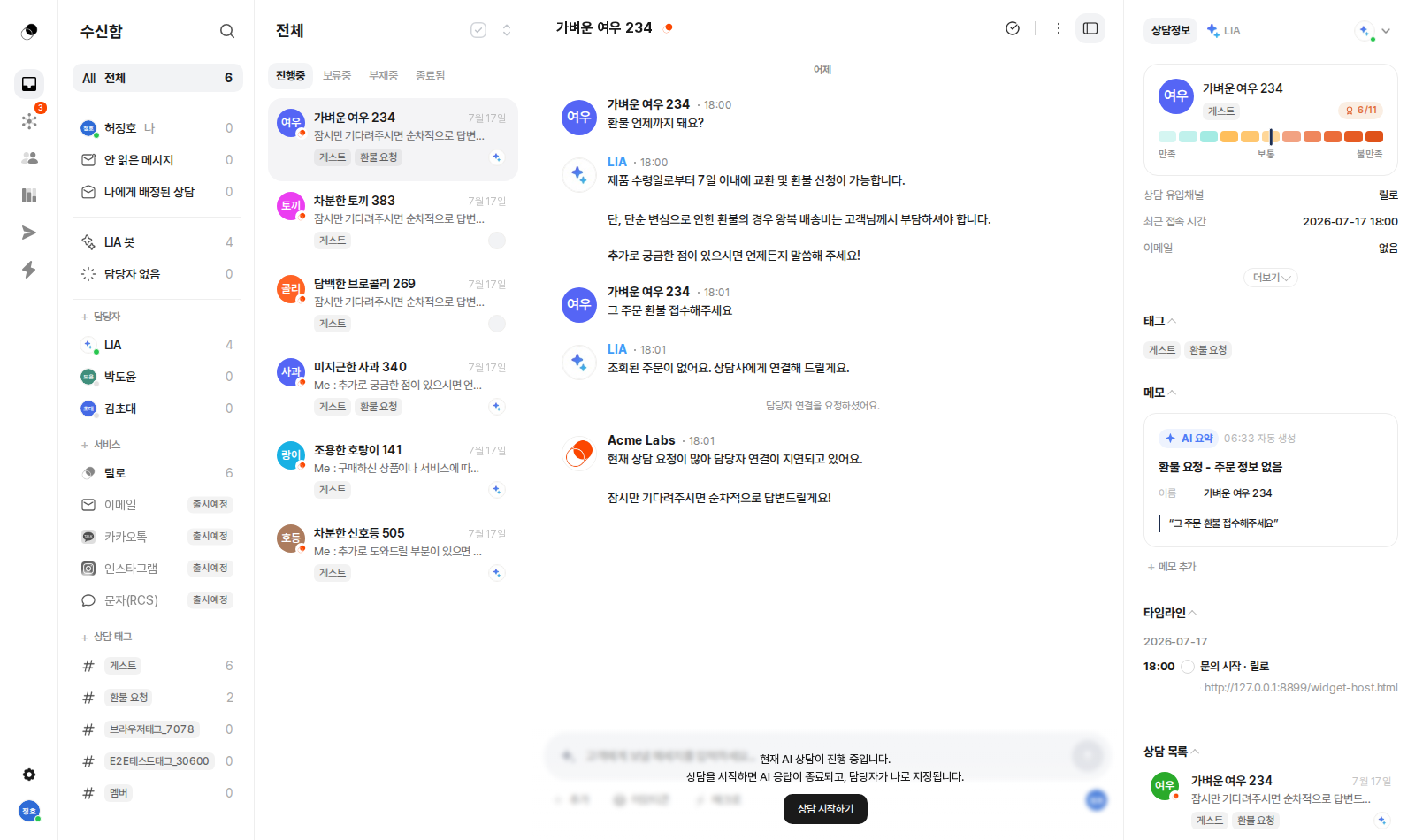
All the customer's context in the right panel
Next to the conversation, you'll see the customer profile, VOC score, an auto-summarized conversation memo, a timeline, and order history. Who the customer is, what they bought, and even how they're feeling right now—everything you need before writing a reply is already right there.
Manage contacts by segment
Customers you've talked with are added to your contacts automatically. View them by segment—members, guests, recently active—and search instantly by name, email, phone number, or member ID. Channel and referral path are recorded too, giving you a starting point for reading the customer journey.
Enough explaining.
The fastest way is to try it yourself
Setup takes just five minutes — hand your first conversation to LIA today.