
LIA Copilot
You don't have to start
your reply from a blank page
LIA Copilot reads the conversation context, customer and order information, and learned knowledge to prepare a draft reply. Like it? Drop it into the composer with a single click and send.
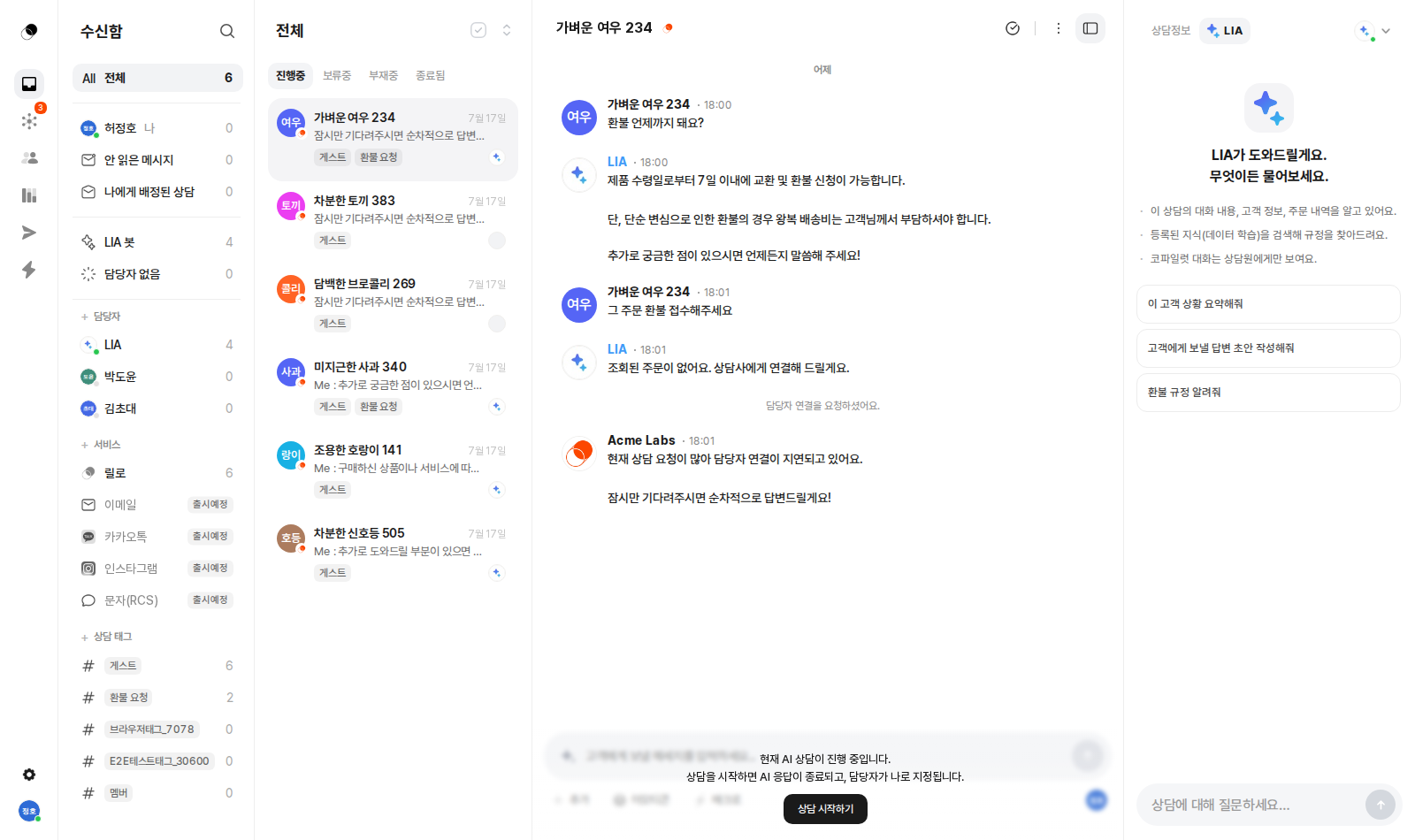

Copilot reads the context and writes the draft;
the final judgment and finishing touch are yours.
Before / After
Same inquiry, different time spent
Without Copilot
Find the policy, type from scratch
- Search internal docs for the refund policy
- Copy an old reply and edit it
- Double-check the name and order number
- Proofread after writing
Minutes per inquiry
LIA Copilot
Review the suggested reply, send in one click
A draft that already reflects the conversation, your docs, and order history is ready. Agents just review and send.
One click
What's included
Real-time drafting
Replies written right on top of the conversation context
Full context
Conversation, customer, orders, and learned knowledge
One-click insert
Send drafts straight to the composer
Knowledge search
Ask your team knowledge in conversation and get answers
Private chat
Copilot chats are visible to agents only
Getting started
Copilot drafts, the agent decides
Copilot in the right panel already knows this conversation's messages, customer information, and order history. Just say "draft a reply to send to the customer" and the draft writes itself out in real time, leaving the agent to focus only on reviewing and refining.
One click into the composer
Below each reply Copilot writes, you'll find Insert into composer and Copy buttons right there. Like it? Send it as-is. If not, tweak a sentence or two and send. No more agonizing over the first sentence every time.
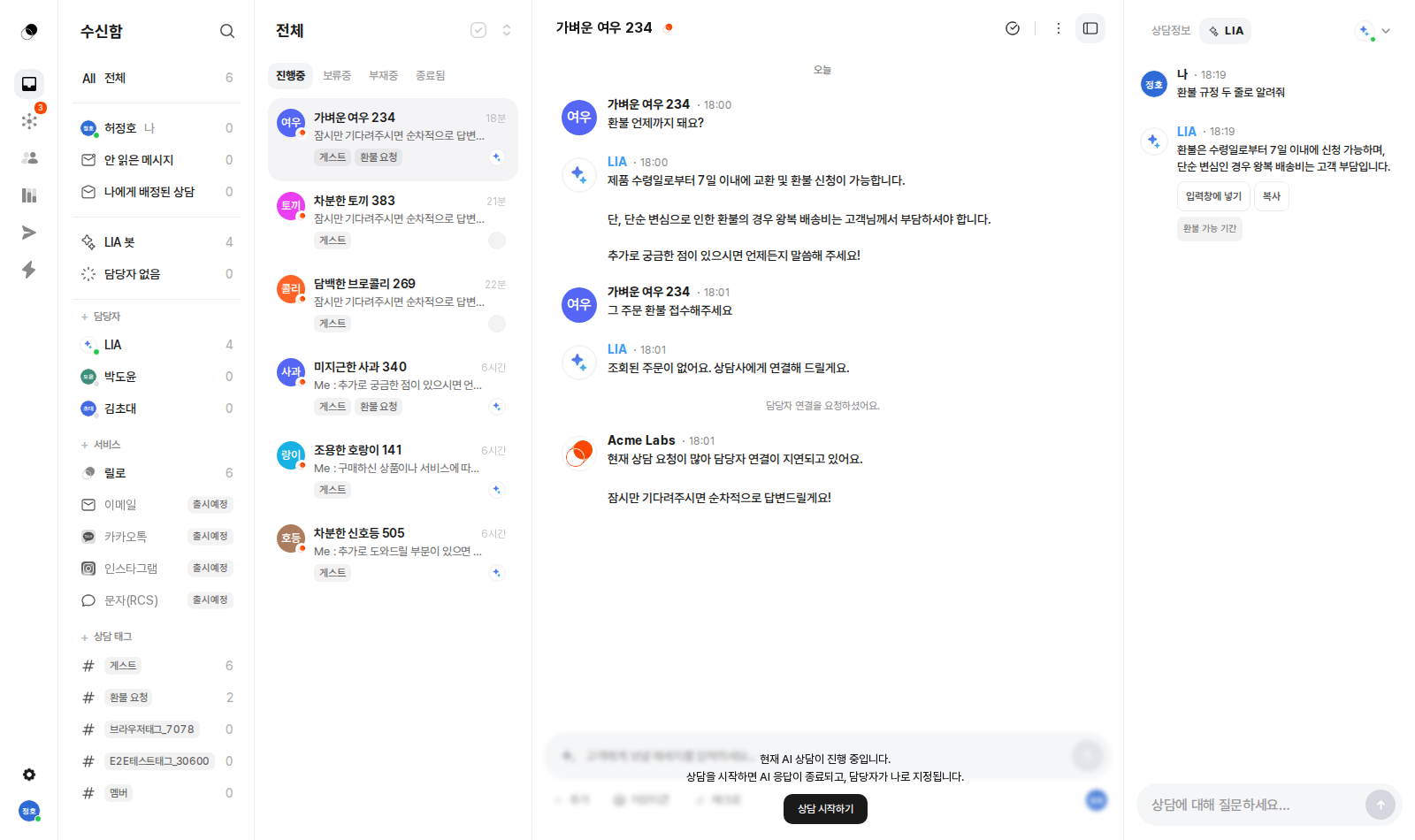
Find team knowledge through conversation
Ask "what's our refund policy?" and Copilot searches the team knowledge registered under Data Training and tells you right away. No more digging through policy docs or asking the person next to you—even a new agent can answer like a veteran on day one.
Drafts that reflect the customer's mood
The right panel holds a VOC score derived from analyzing the conversation, along with an auto-summarized conversation memo. Because Copilot drafts on top of this context, it won't speak in the same tone to a frustrated customer and a satisfied one.
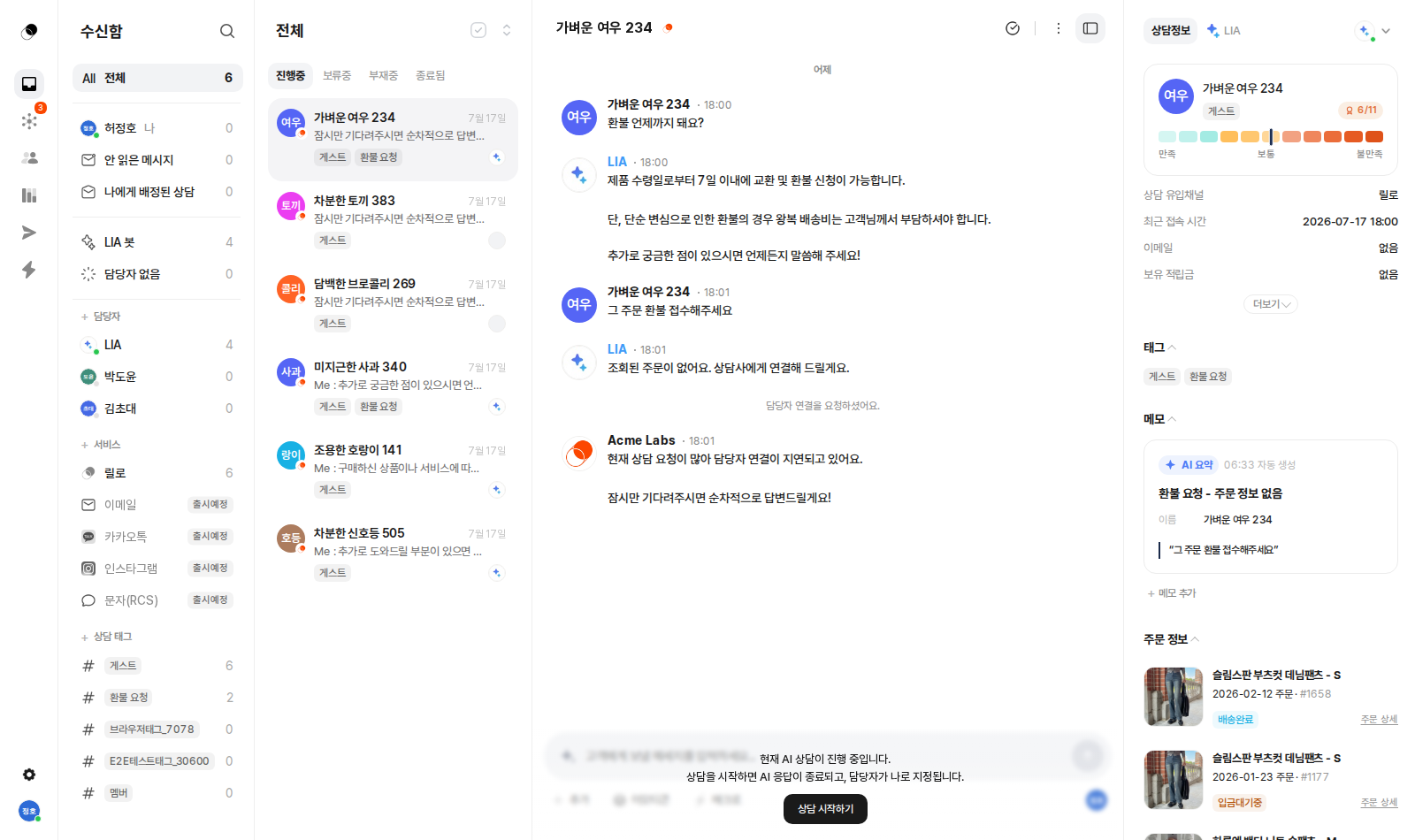
Your chat with Copilot stays with the team
Your back-and-forth with Copilot is visible only to agents and never shown to customers. Show customers only the finished reply, and consult freely behind the scenes. You can even ask for a review before sending a reply you're unsure about.
Enough explaining.
The fastest way is to try it yourself
Setup takes just five minutes — hand your first conversation to LIA today.