
Support operations / Inbox
Support operations / Inbox
Inbox
All conversations in one place — with assignees, tags, macros, and message actions.
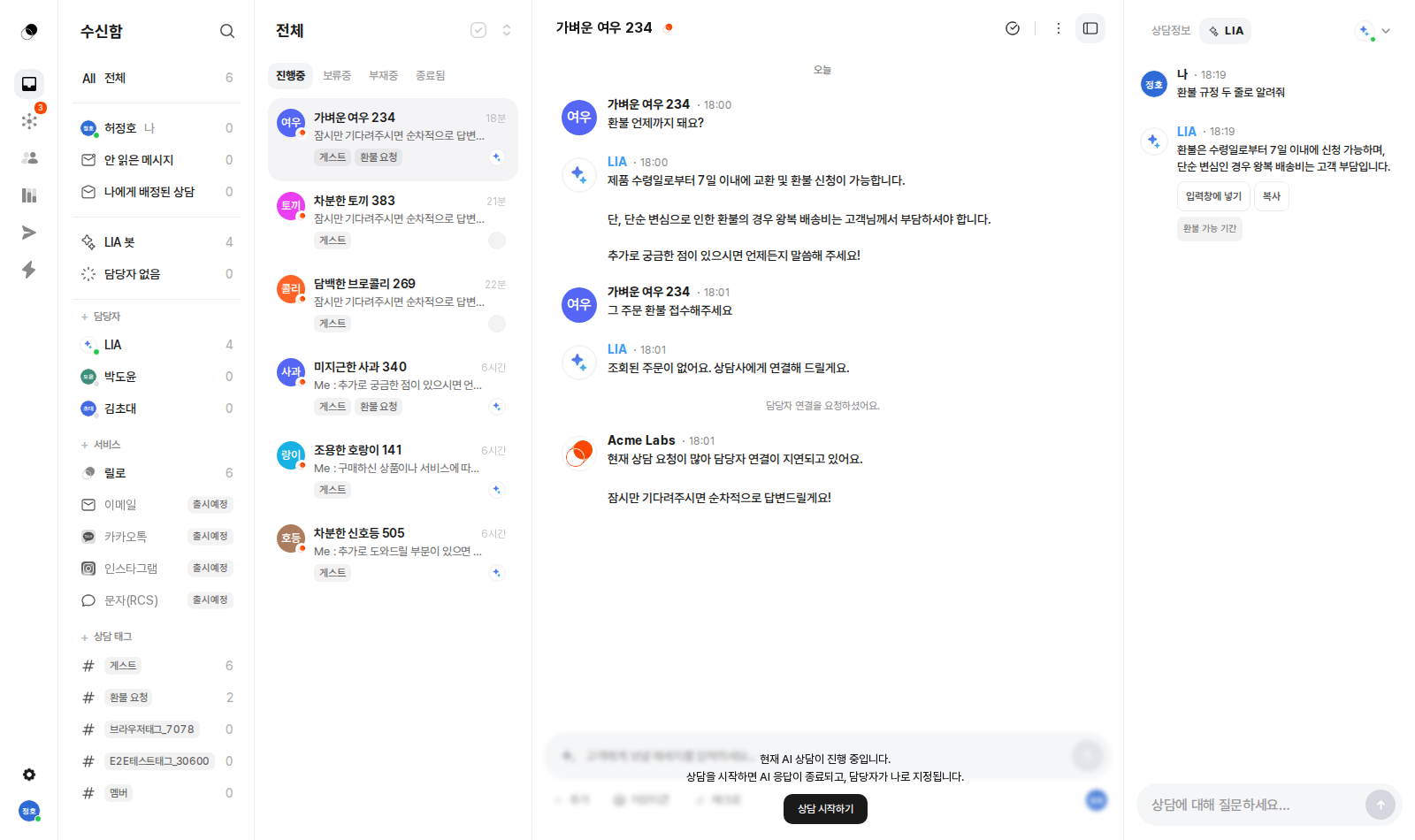
Taking over a conversation
In a conversation the AI is handling, click 'Start handling' to stop the AI's responses and assign yourself as the owner.
Tags
- Assign tags to a conversation from the right panel.
- Click a tag to filter the inbox by that tag.
- Create, edit, and delete tags in Settings > Conversation tags.
Macros (frequently used replies)
- Save replies in Settings > Macros.
- Open the list with the ⚡ button in the input box.
- Type
/in the input box to bring up autocomplete and insert instantly with Enter.
Message hover actions
Hover over a message to reveal Copy · Save as macro · Save as AI knowledge. Turn a great reply into a reusable asset right on the spot.
Right panel
- Customer profile card — VOC score (calculated by AI from the conversation) and customer info.
- Order history — real-time order cards for e-commerce type workspaces.
- Timeline — a record of visit and conversation events.
Have more questions?
For SDK integration, see the Developer docs. For anything else, email hello@lillo.cx or use Contact in the console.